Page builder
Elementor compatibility
TestedElementor uses the WordPress media modal for its Image widget, featured image and background images, so Plathix folders are inside the editor with no setup. Nine checks passed on Elementor 4.2.3. Two of them are worth pointing out: one makes sure Elementor’s drag and Plathix’s drag do not get in each other’s way, and two more confirm that a published page keeps its image after the file is moved to another folder. The Image widget picker and the picker’s upload tab were checked again on Elementor 4.2.4 with WordPress 7.1.1.
Versions and environment
| Elementor | 4.2.3 for the full block (re-run after the site updated from 4.2.1); 4.2.4 for the 22 Sep re-check |
|---|---|
| WordPress | 7.1.1 for the 22 Sep re-check; not recorded for the August run |
| PHP | 8.4.6 |
| Plathix | 1.0.0 Free |
| WooCommerce | 11.0.1 (August) and 11.1.1 (September), active during the runs |
| Theme | Divi 5.2.0, active during the runs |
| Test run | FREE-REGRESSION-2026-08-18, Image widget and upload tab re-checked on 22 Sep 2026, browser automation against a live site |
What was checked
| ID | What we did, and what happened | Result |
|---|---|---|
| PK6.1 | Add an Image widget and click Choose Image. The folder tree is in the picker; pick an image from a folder and it lands on the canvas. | Passed |
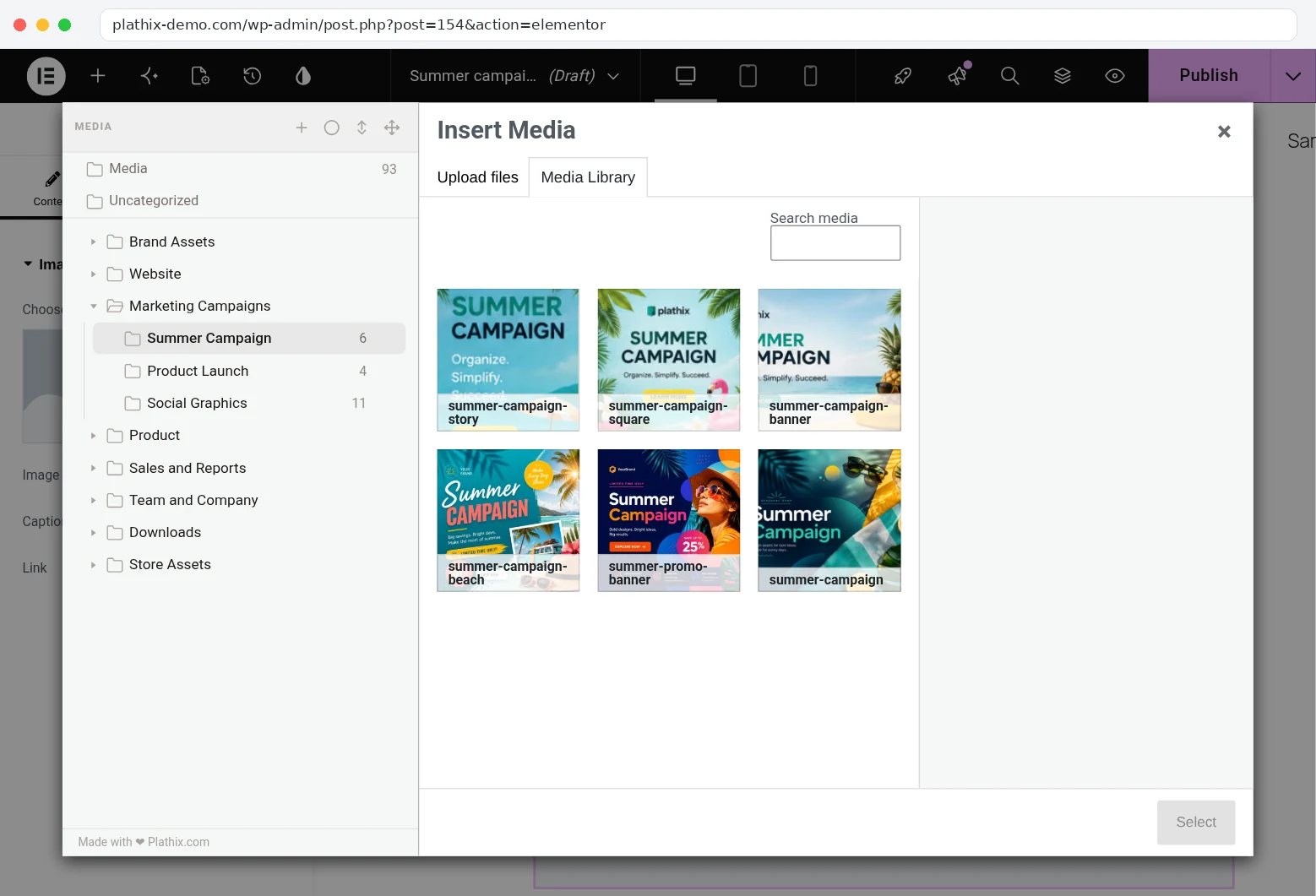
Watch the checkHow we checked. Added an Image widget and clicked Choose Image. In the picker we switched to Media Library, opened Marketing Campaigns → Summer Campaign, picked summer-campaign-beach.jpg and clicked Select. What you see. The Plathix folder tree inside Elementor’s Insert Media window, the Summer Campaign folder with its six files, and the picked image on the canvas and in the widget’s preview. Recorded on 22 Sep 2026 on plathix-demo.com: WordPress 7.1, Twenty Twenty-Five, Plathix 1.0.0 Free. |
||
| PK6.2 | Open Elementor’s page settings and set the featured image from a folder. The featured image is saved. | Passed |
| PK6.4 | Set a container background image from a folder. The background is applied. | Passed |
| PK6.5 | Drag a widget onto the canvas, then drag a file into a folder inside the picker. Neither drag interferes with the other. | Passed |
Watch the checkHow we checked. With an Image widget on the canvas, opened its picker, went to Summer Campaign and dragged summer-campaign-square.jpg onto the Product Launch folder in the tree, without leaving Elementor. What you see. The file leaves the Summer Campaign grid and the counts change from 6 and 4 to 5 and 5, while the Elementor editor behind the window stays as it was. Plathix’s drag and drop works inside Elementor’s own picker. Recorded on 22 Sep 2026 on plathix-demo.com: WordPress 7.1, Twenty Twenty-Five, Plathix 1.0.0 Free. |
||
| PK6.6 | Edit a page with Elementor while Divi is the active theme. The picker opens and image selection works the same way. | Passed |
| PK6.7 | Open a folder in the picker and search for a file. Results are limited to that folder, as in the Media Library. | Passed |
| PK6.7 | Close the picker and open it again. It comes back to the folder you left. | Passed |
| URL9 | Add a photo to an Image widget and publish the page. Then move that photo to another folder and open the page again. The photo is still there, nothing disappeared. | Passed |
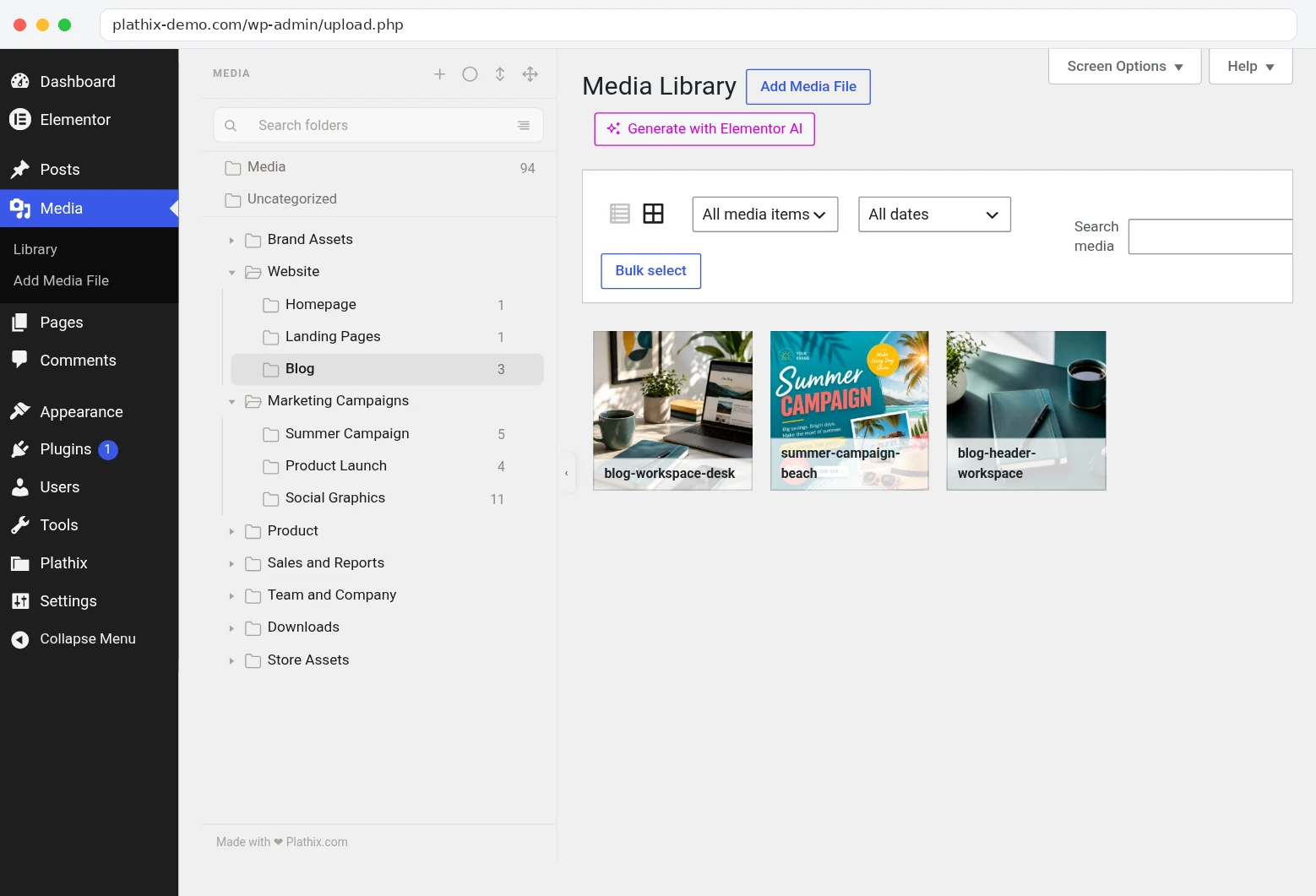
Show proofHow we checked. Added an Image widget, picked summer-campaign-beach.jpg from Summer Campaign and published the page from Elementor. In the Media Library, moved that photo into Website → Blog. Opened the page again. What you see. Step by step: picking the photo in Elementor’s picker, the published page, the Media Library after the move (the photo now sits in Blog, Summer Campaign is down to 5), and the page opened again with the photo in place. Moving a photo between Plathix folders changes where you find it in the library, not where it lives on the server. 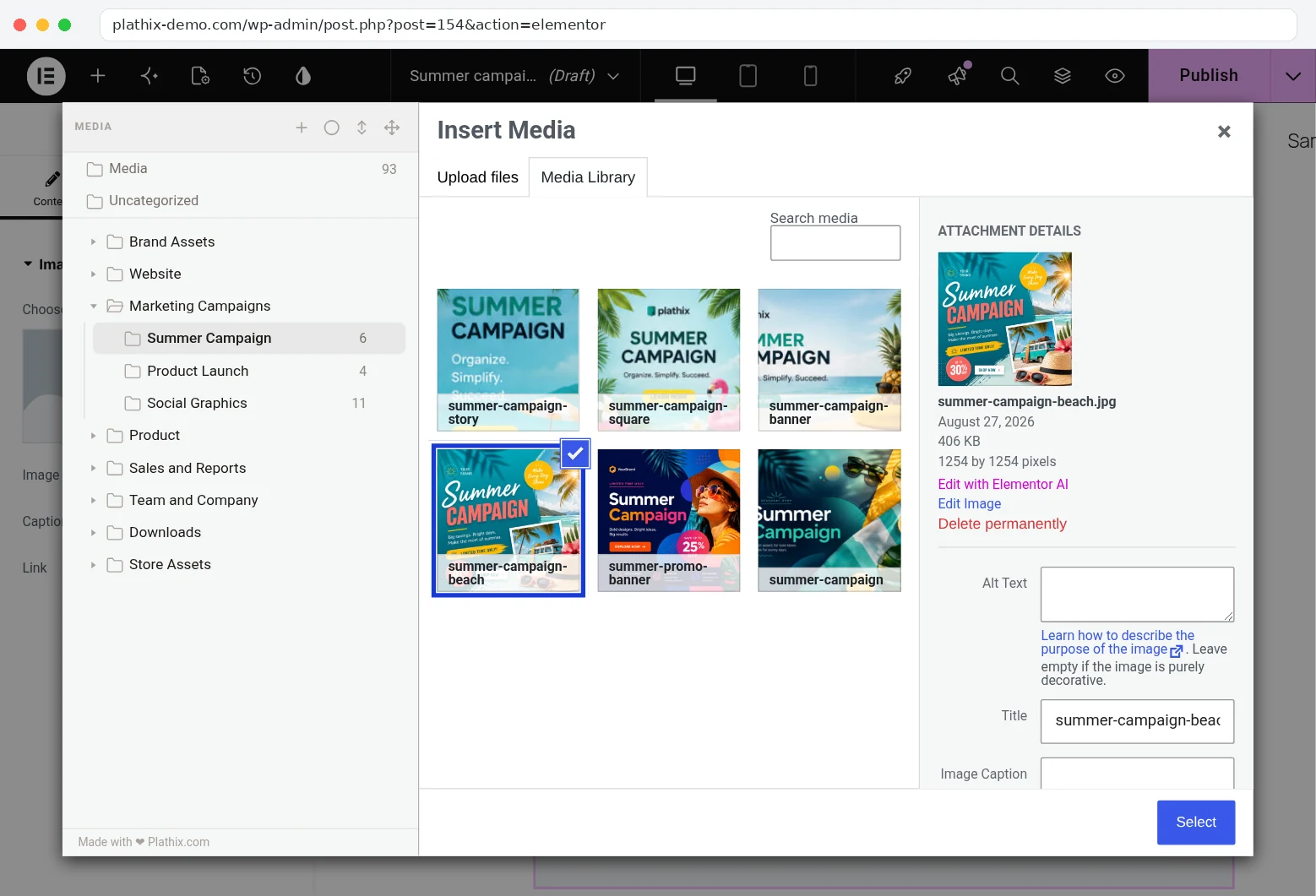


Recorded on 22 Sep 2026 on plathix-demo.com: WordPress 7.1, Twenty Twenty-Five, Plathix 1.0.0 Free. |
||
| URL11 | Save a template that contains an image, move the image to another folder, then insert the template on a new page. The image is still shown. | Passed |
| PK6.1 | The same Image widget check, repeated on Elementor 4.2.4 on 22 Sep 2026. Same outcome. | Passed |
| PK6.3 | Add images to a WooCommerce product gallery while Elementor is active (22 Sep 2026, details on the WooCommerce page). The picker shows the tree and the selected files are added. | Passed |
| PK6.8 | Open a folder in Elementor’s picker, switch to Upload files and upload a PNG. The file lands in that folder, is selected in the picker, and shows on the canvas after Select. | Passed |
Watch the checkHow we checked. Opened the Image widget picker, went to Store Assets → Packaging (2 files), switched to Upload files and picked earbuds-packaging.png from disk. What you see. The upload runs inside Elementor’s window, the picker returns to the Packaging folder with the new file selected and the count at 3, and after Select the image is on the canvas. Recorded on 22 Sep 2026 on plathix-demo.com: WordPress 7.1, Twenty Twenty-Five, Plathix 1.0.0 Free. |
||
Known limitations
None found in the workflows we tested.
Test setup
- Install and activate Plathix. There is no Elementor setting to turn on.
- In the editor, click any image control, then Media Library. The folder tree is in the left column of the picker.
Retest
We plan to run the whole set again on the current Plathix build, and after each major Elementor release.