Elementor add-on
Essential Addons compatibility
TestedEssential Addons widgets choose images in Elementor’s media window, so Plathix folders are there with no setup. We ran Plathix with the free version of Essential Addons: 8 Free checks passed and 1 did not. Files can be moved or replaced without breaking the published page, and the plugin’s lightbox opens alone.
Free: versions and environment
| Essential Addons | 6.8.8, the free version from WordPress.org |
|---|---|
| Elementor | 4.3.5 |
| WordPress | 7.1.4 |
| PHP | 8.3.31 |
| Plathix | 1.0.0 Free, with PRO switched off |
| WooCommerce | 11.1.2, active during the run |
| Theme | Hello Biz, active during the run |
| Test run | Essential Addons run, 2 Nov 2026, browser automation against a live site |
Free: what was checked
| ID | What we did, and what happened | Result |
|---|---|---|
| EA1 | Turn on Essential Addons next to Plathix. The folder tree stays in the Media Library, the Elementor editor opens, and the Essential Addons widgets are in the panel. | Passed |
Show proofHow we checked. Activated Essential Addons 6.8.8 with Plathix PRO switched off, opened the Media Library and the Elementor editor. What you see. The editor opens with the Essential Addons widgets available. The Media Library still shows the folder tree. 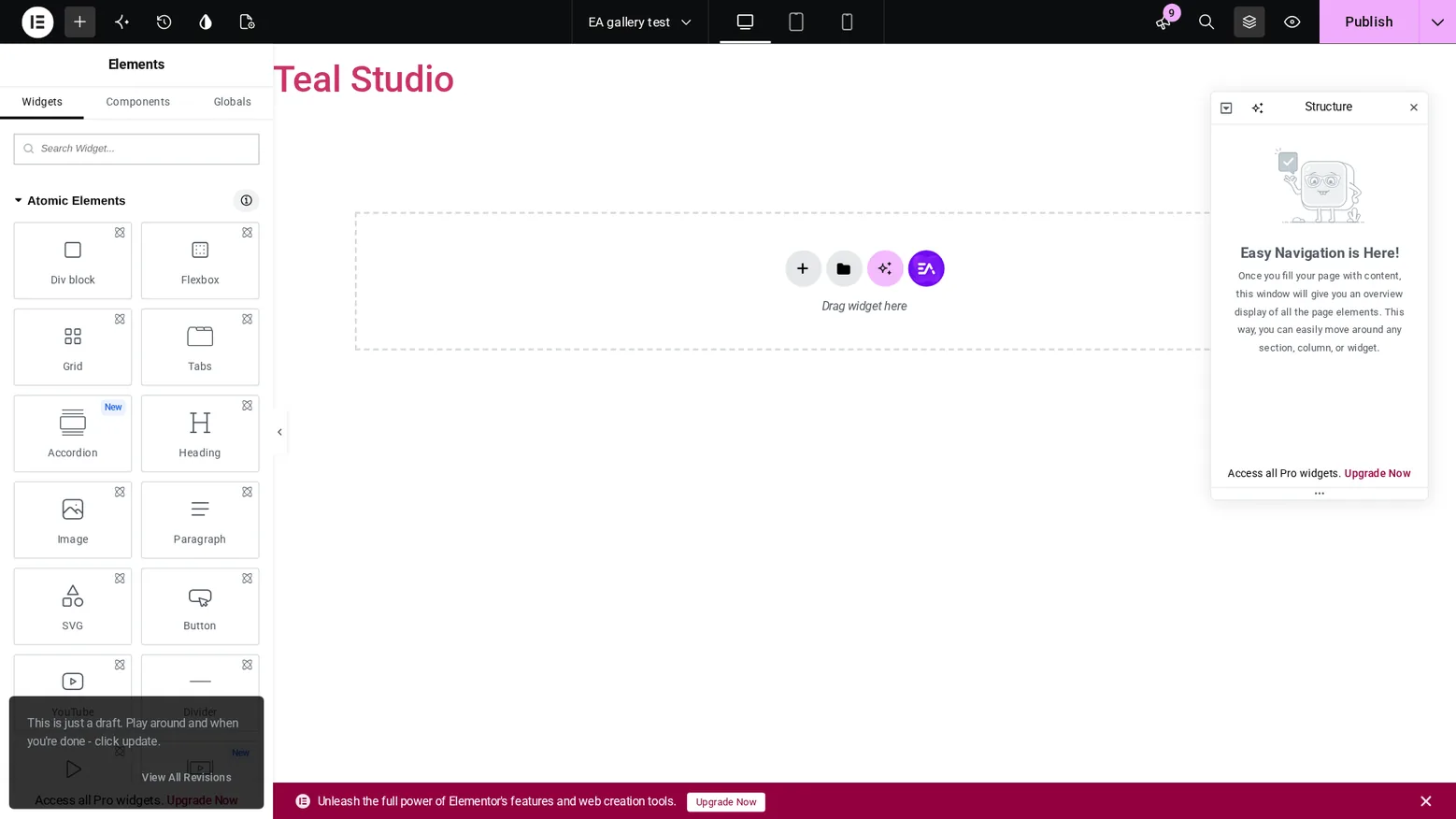
Recorded on 2 Nov 2026 on our test site: WordPress 7.1.4, Hello Biz, Elementor 4.3.5, Essential Addons 6.8.8, Plathix 1.0.0 Free. |
||
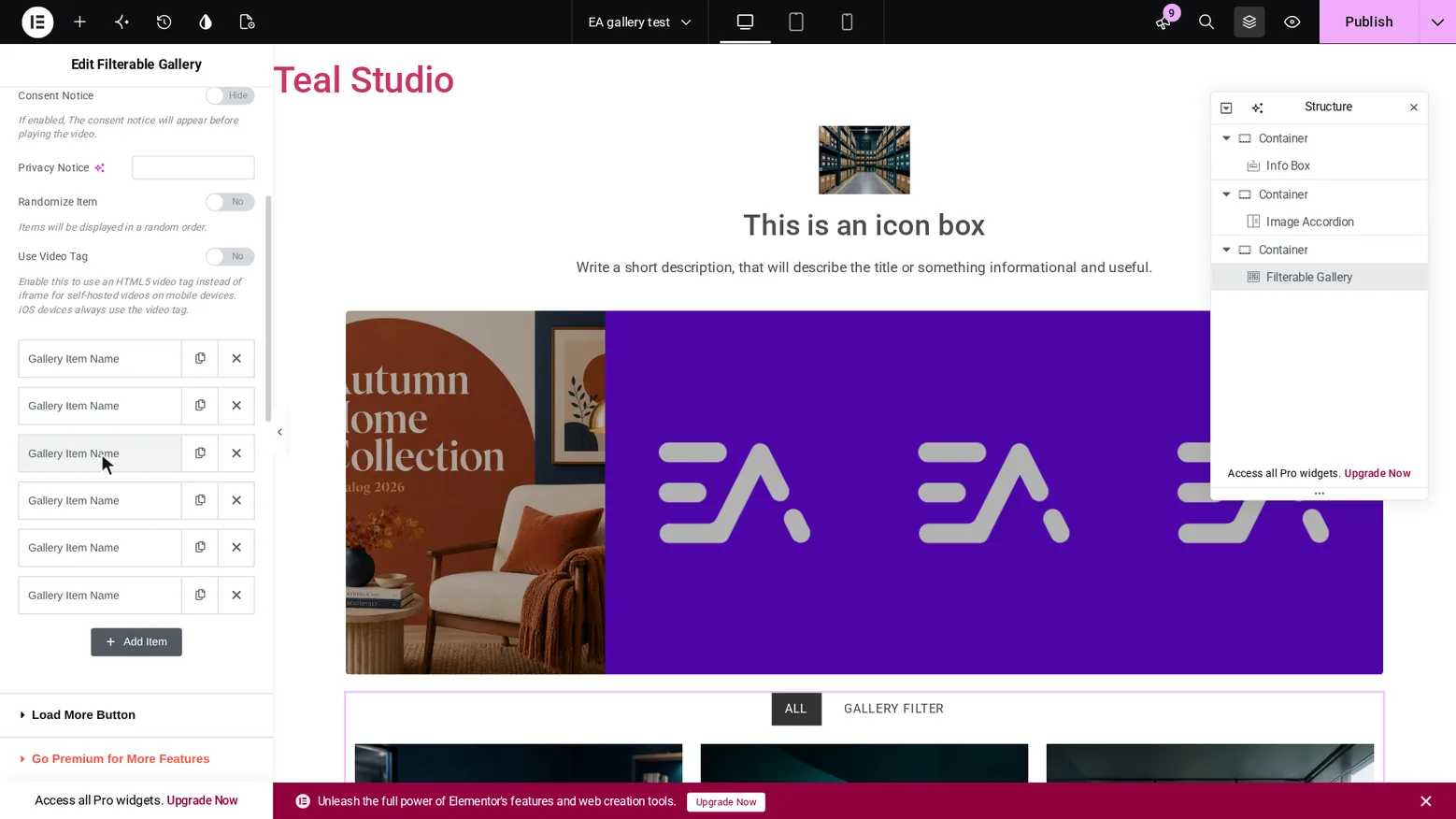
| EA2 | Add a Filterable Gallery and pick its images. The picker has the folder tree, and a folder shows only its own files. | Passed |
Show proofHow we checked. Added the widget, opened the first gallery item, clicked the image, opened the Photos folder and picked a file. Repeated for three items. What you see. Photos shows its 6 files, the same number the folder reports. The three picked images are in the widget. 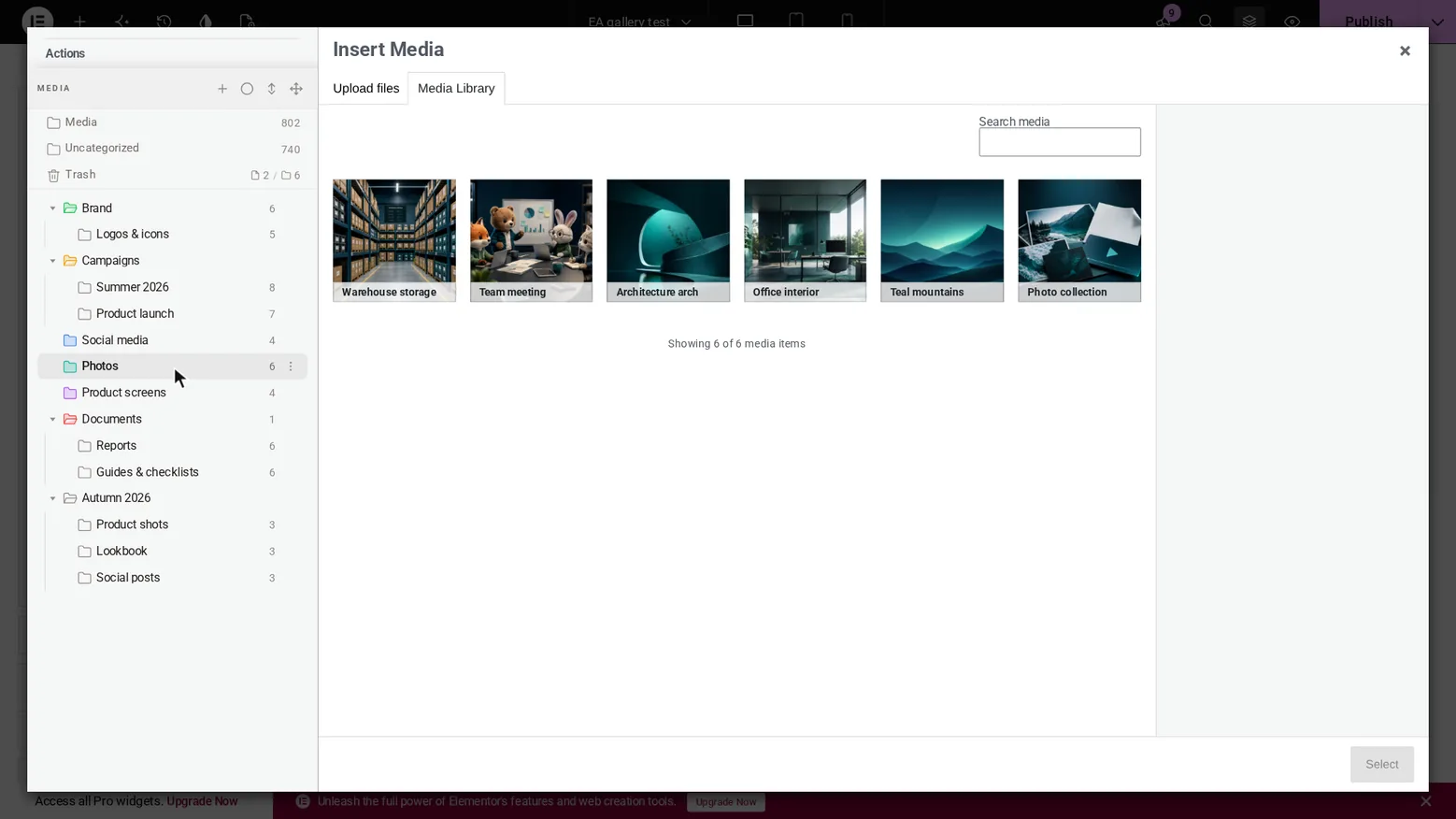
Recorded on 2 Nov 2026 on our test site: WordPress 7.1.4, Hello Biz, Elementor 4.3.5, Essential Addons 6.8.8, Plathix 1.0.0 Free. |
||
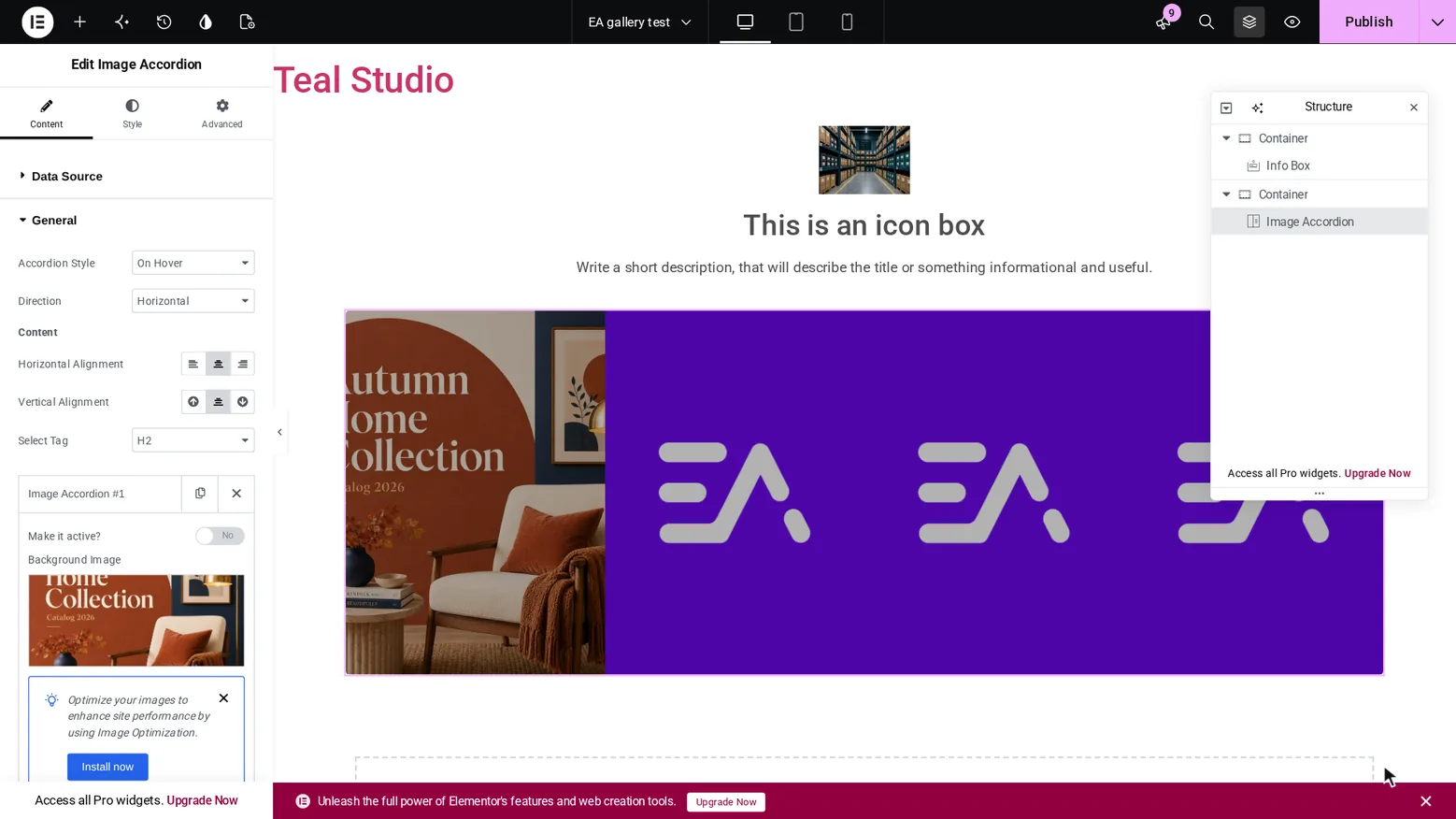
| EA3 | Add an Image Accordion and pick a background image from a folder. | Passed |
Show proofHow we checked. Added the widget, opened the first item, clicked Background Image, opened Autumn 2026 → Lookbook and picked a file. What you see. Lookbook shows its 3 files. The image is set as the accordion background. 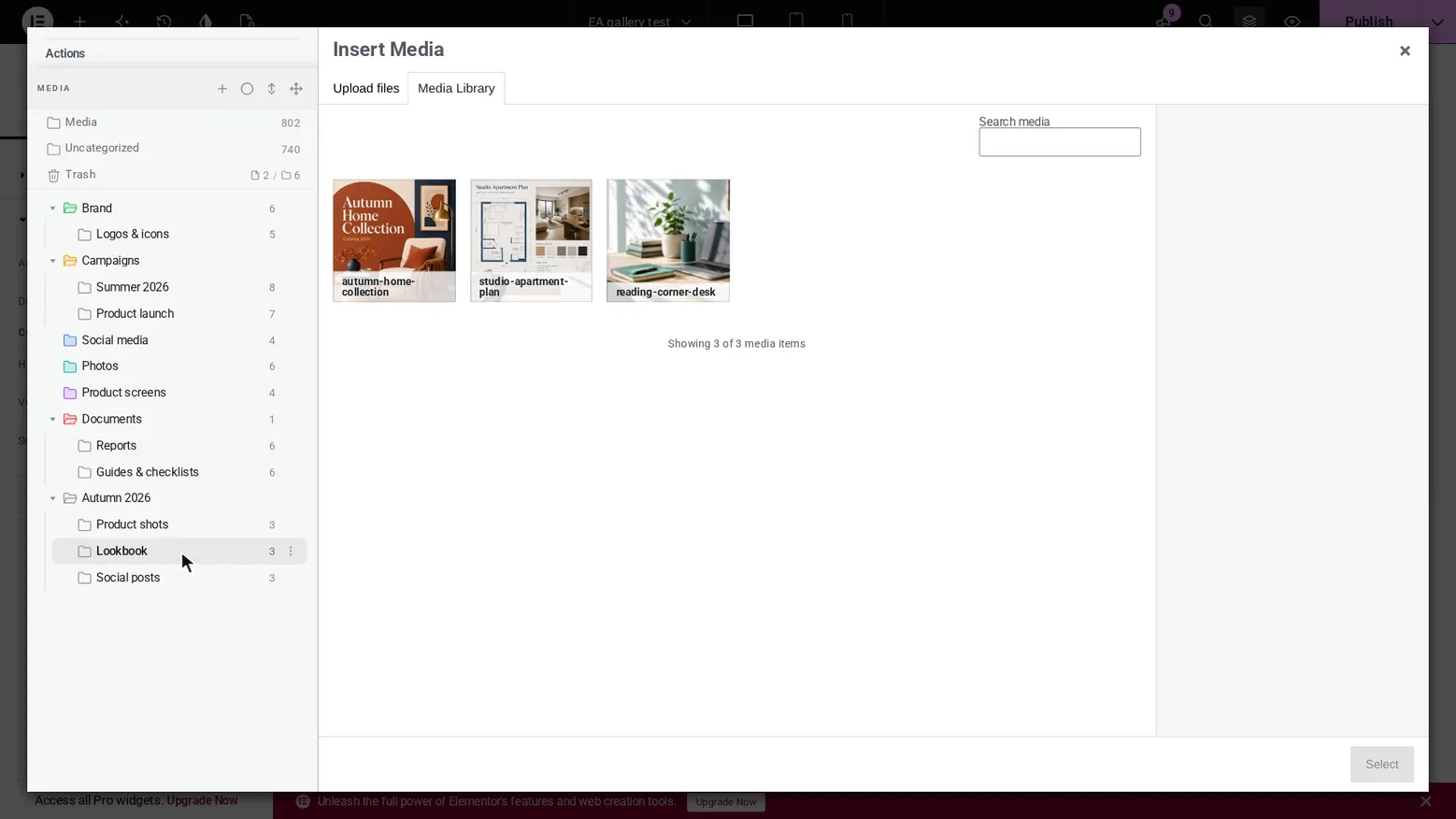
Recorded on 2 Nov 2026 on our test site: WordPress 7.1.4, Hello Biz, Elementor 4.3.5, Essential Addons 6.8.8, Plathix 1.0.0 Free. |
||
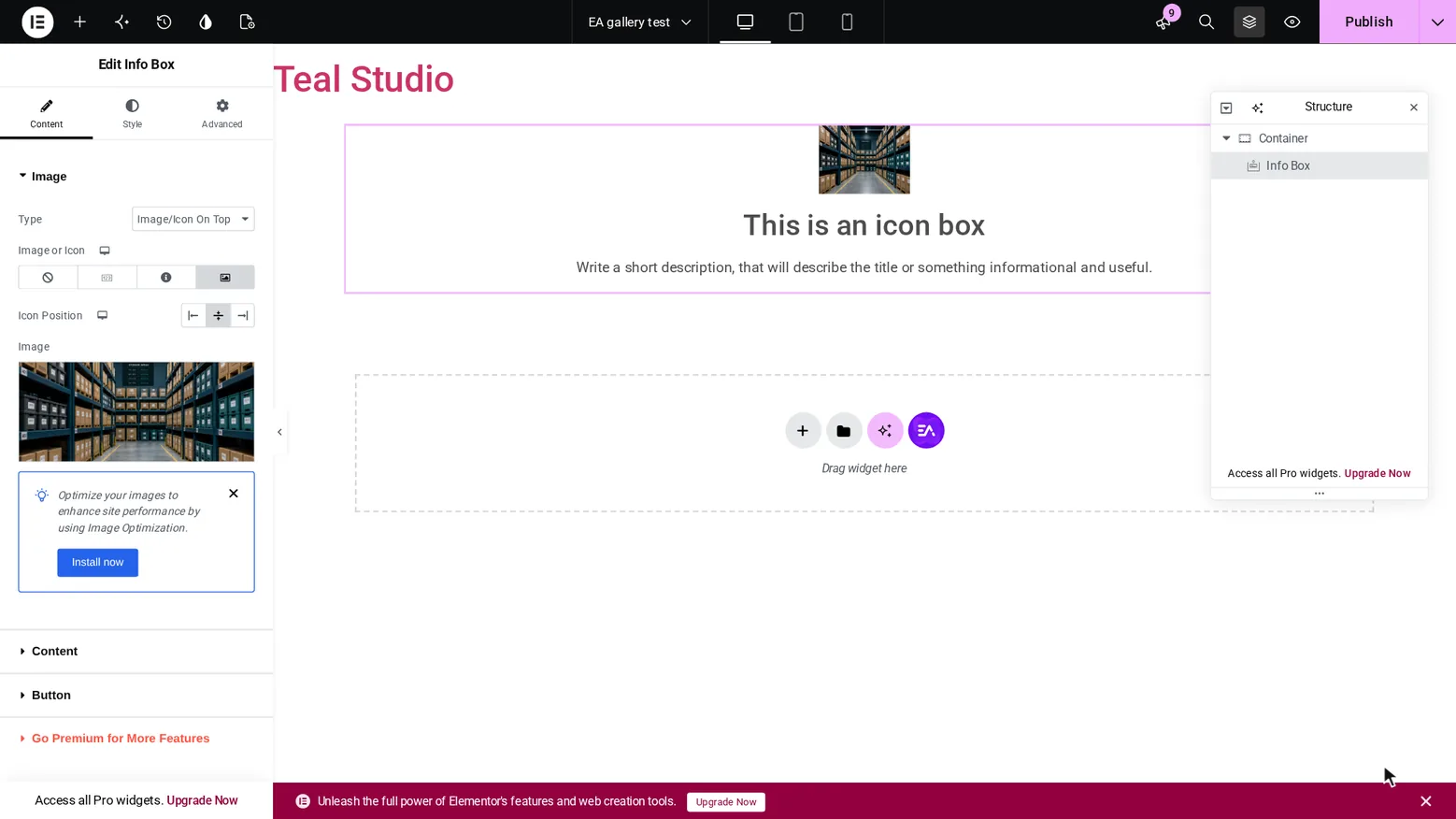
| EA4 | Add an Info Box, switch it to an image and pick one from a folder. | Passed |
Show proofHow we checked. Added the widget, chose the image type, clicked the image, opened Photos and picked a file. What you see. The picked file is in the control and on the canvas. 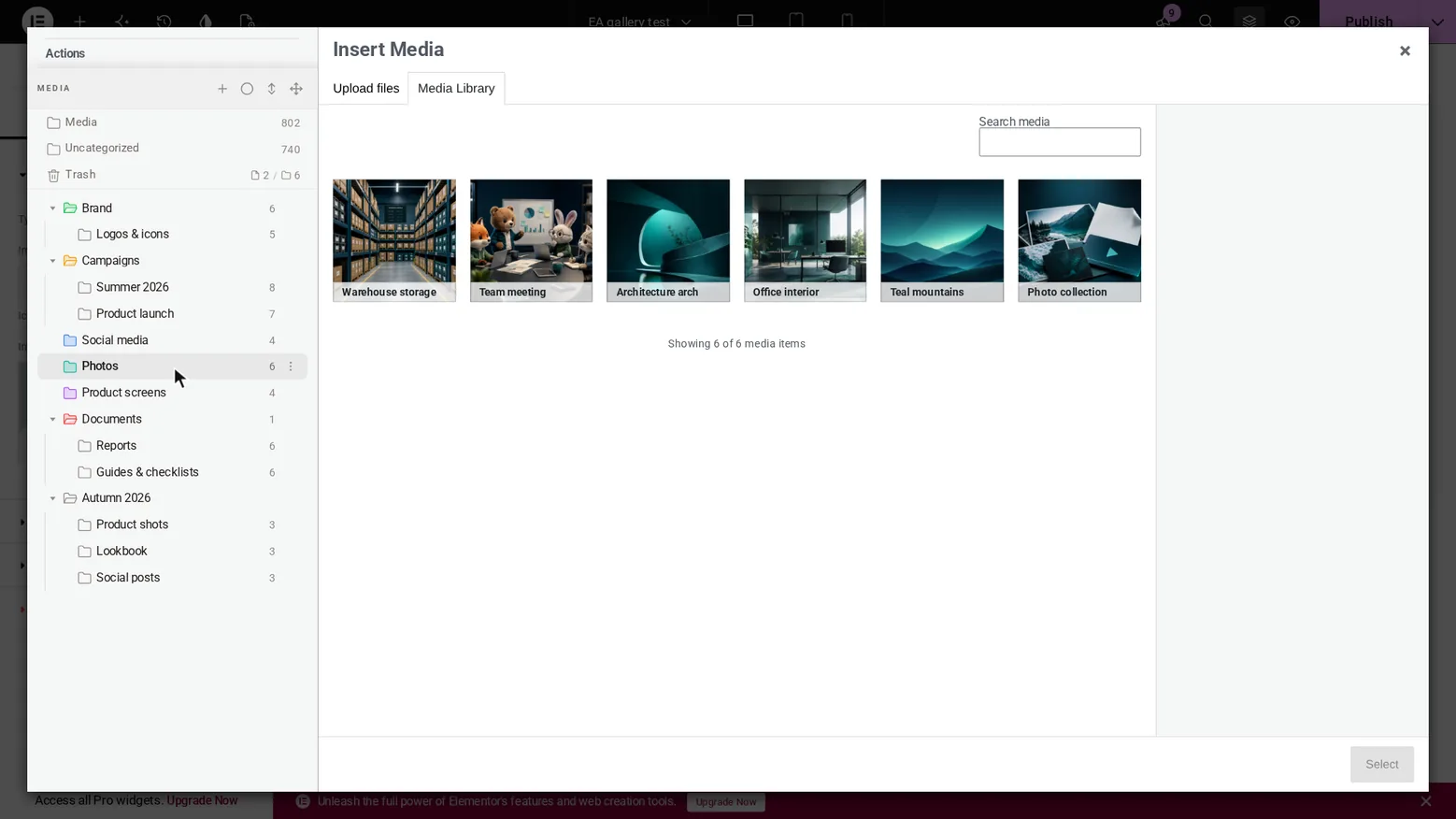
Recorded on 2 Nov 2026 on our test site: WordPress 7.1.4, Hello Biz, Elementor 4.3.5, Essential Addons 6.8.8, Plathix 1.0.0 Free. |
||
| EA5 | Open a folder in the widget’s picker and upload a file. The file lands in that folder. | Passed |
Show proofHow we checked. In the Info Box picker we opened Social posts (3 files), switched to Upload files and uploaded one image. Then we read the folder count through the REST API. What you see. Social posts now shows 4 files, with the new one first and selected. The API also reports 4. 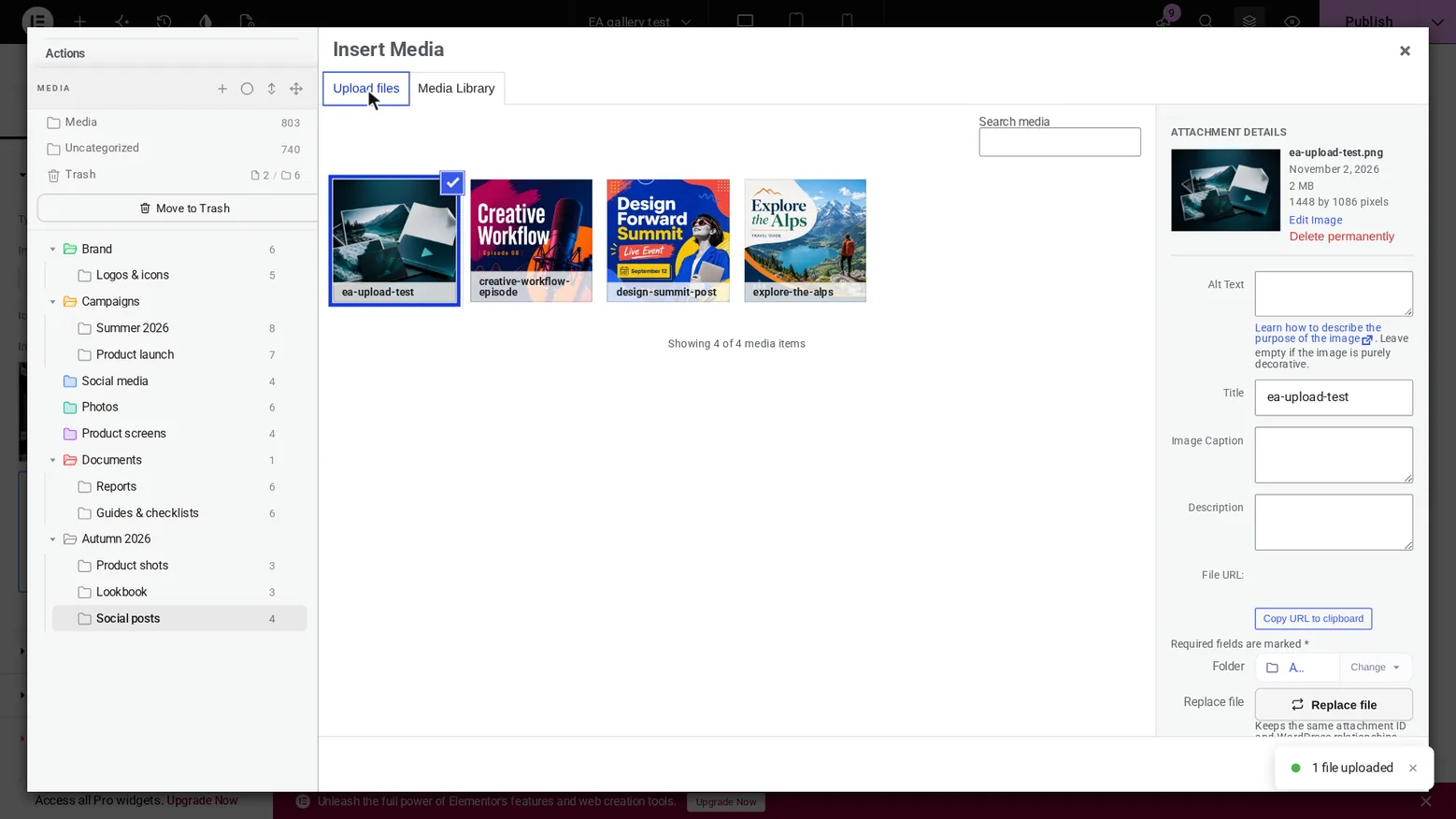
Recorded on 2 Nov 2026 on our test site: WordPress 7.1.4, Hello Biz, Elementor 4.3.5, Essential Addons 6.8.8, Plathix 1.0.0 Free. |
||
| EA6 | Upload a file in the picker and click Select right away. The file is selected and the picker closes. | Not passed · retest 2 Dec 2026 |
| EA7 | Move a file used in a published gallery to another folder. Visitors see the same page. | Passed |
Show proofHow we checked. Dragged team-meeting.png from Photos to Brand in the Media Library, then opened the page in a separate browser session with no login. What you see. The folder counts changed from 6 and 6 to 5 and 7. All three gallery images still load. Then we moved the file back. 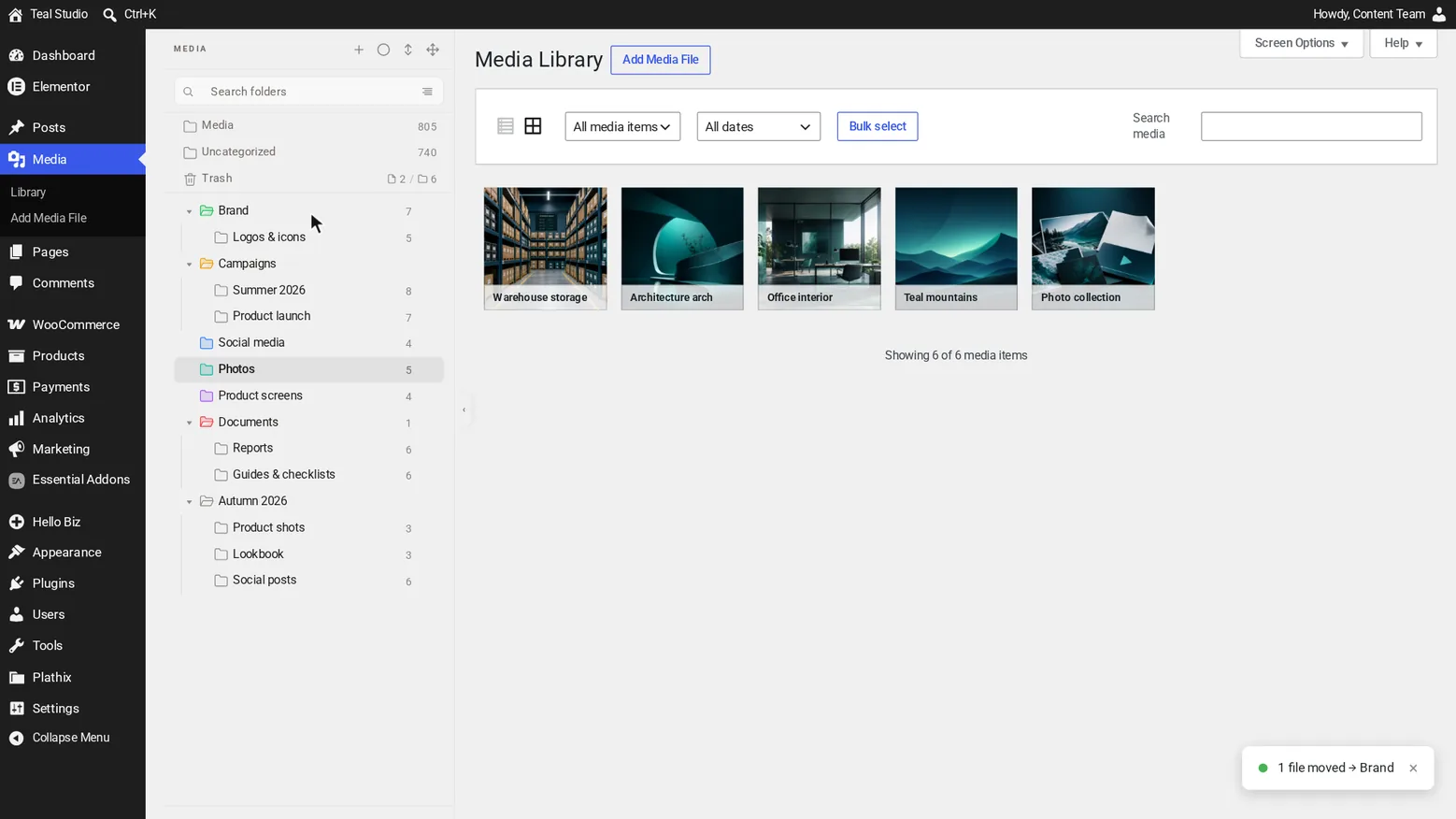
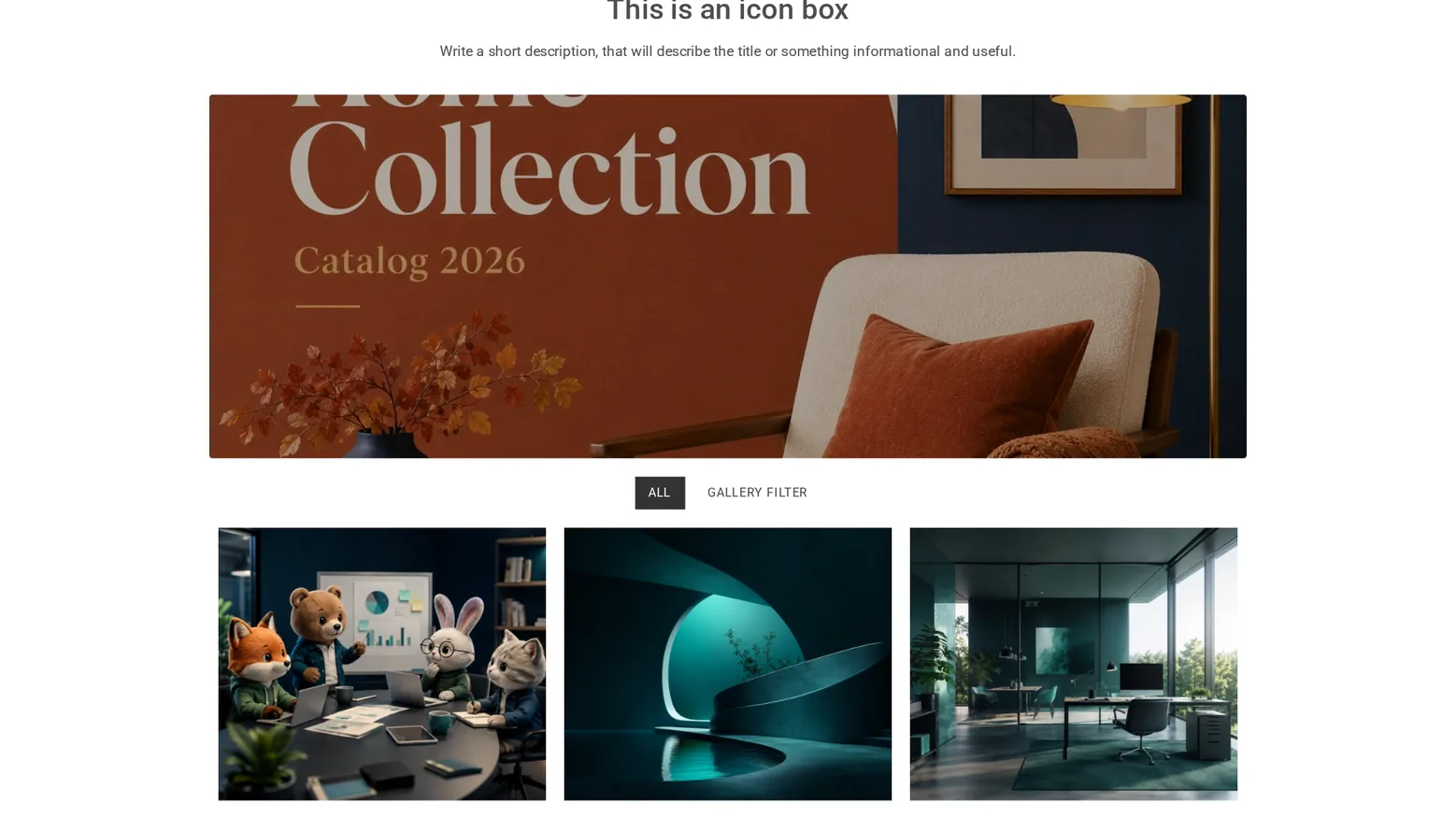
Recorded on 2 Nov 2026 on our test site: WordPress 7.1.4, Hello Biz, Elementor 4.3.5, Essential Addons 6.8.8, Plathix 1.0.0 Free. |
||
| EA8 | Replace a file used in an Info Box. Visitors see the new image at the same address. | Passed |
Show proofHow we checked. Published the Info Box with an uploaded file, opened it with no login, used Replace file in the Media Library, then opened the page again. We also compared the file’s checksum before and after. What you see. The same address serves a different file, and the page shows the new image. 

Recorded on 2 Nov 2026 on our test site: WordPress 7.1.4, Hello Biz, Elementor 4.3.5, Essential Addons 6.8.8, Plathix 1.0.0 Free. |
||
| EA9 | Click a Filterable Gallery image on the published page. One lightbox opens. | Passed |
Show proofHow we checked. Opened the page with no login and clicked the lightbox button three times. Each time we counted the open lightboxes, then closed with Esc. What you see. The Essential Addons lightbox alone, 3 times out of 3. Esc closes it. 
Recorded on 2 Nov 2026 on our test site: WordPress 7.1.4, Hello Biz, Elementor 4.3.5, Essential Addons 6.8.8, Plathix 1.0.0 Free. |
||
PRO with Essential Addons
With PRO, copies made by EA Duplicator stay in the folder of the original, and Post Grid can show the posts of one folder. 9 checks passed and 3 did not. The checks that did not pass are in work, and we will run them again on 2 Dec 2026.
| Essential Addons | 6.8.8, the free version from WordPress.org |
|---|---|
| Elementor | 4.3.5 |
| WordPress | 7.1.4 |
| PHP | 8.3.31 |
| Plathix | 1.0.0 Free and PRO |
| WooCommerce | 11.1.2, active during the run |
| Theme | Hello Biz, active during the run |
PRO: what was checked
| ID | What we did, and what happened | Result |
|---|---|---|
| Image picker | With PRO active, the picker in an Essential Addons widget has the same folder tree, and folders filter the files. | Passed |
Show proofHow we checked. Opened the Info Box picker with PRO active and clicked Lookbook. What you see. All 18 folders in the tree, 3 files in Lookbook. 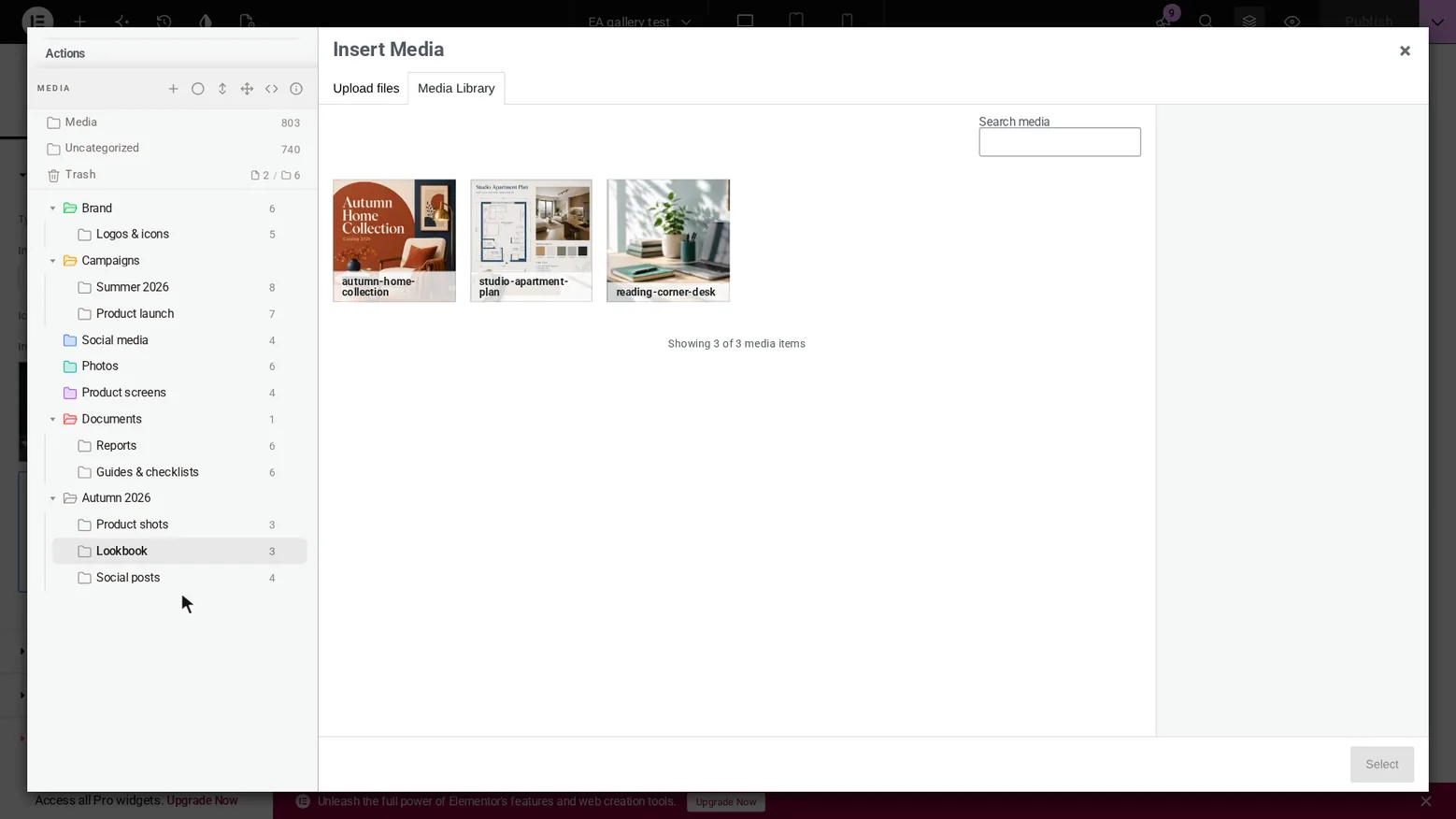
Recorded on 2 Nov 2026 on our test site: WordPress 7.1.4, Hello Biz, Elementor 4.3.5, Essential Addons 6.8.8, Plathix 1.0.0 Free and PRO. |
||
| Folder menu in the picker | Open the folder menu in the picker. The menu opens, and New subfolder, Rename, Move to Trash and Download ZIP can be clicked. | Not passed · retest 2 Dec 2026 |
| Duplicate a page | Use EA Duplicator on a page in a folder. The copy lands in the same folder. | Passed |
Show proofHow we checked. Opened the Legal folder (2 pages) and clicked EA Duplicator on Privacy policy. Then we read the folder count through the REST API and opened the folder again. What you see. Privacy policy – Copy is in Legal as a draft. The panel and the API both report 3. 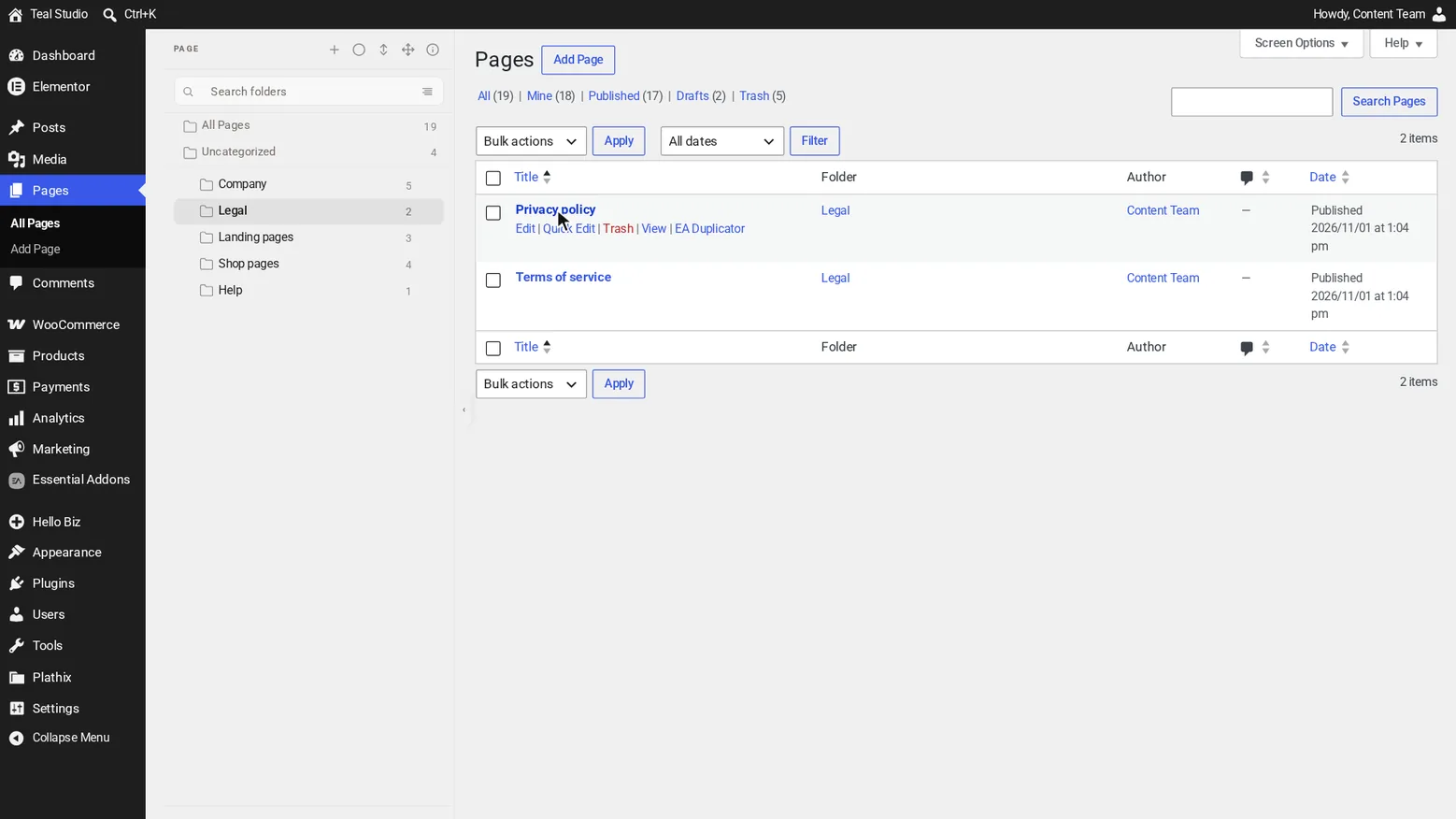
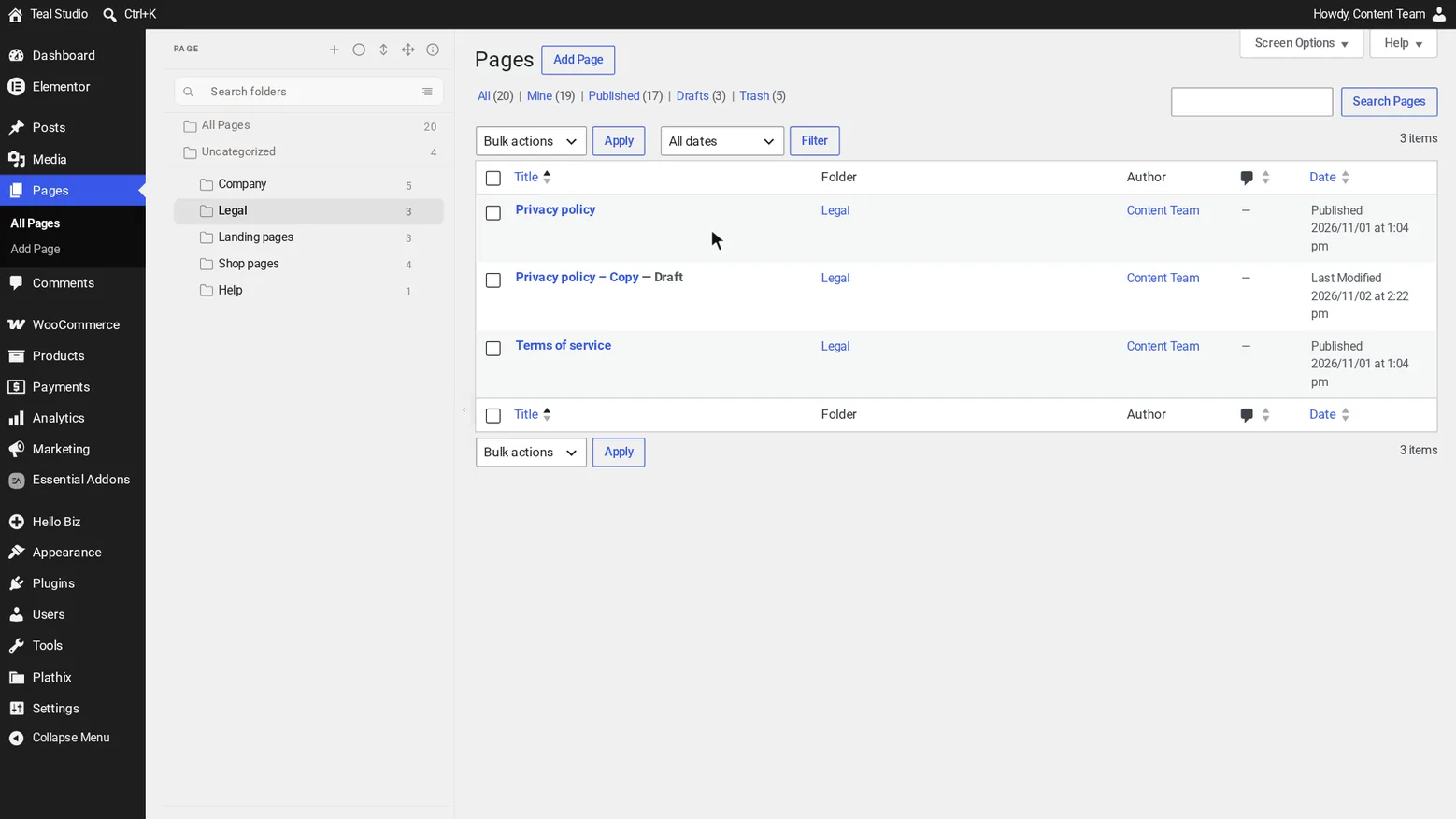
Recorded on 2 Nov 2026 on our test site: WordPress 7.1.4, Hello Biz, Elementor 4.3.5, Essential Addons 6.8.8, Plathix 1.0.0 Free and PRO. |
||
| Duplicate a post | Use EA Duplicator on a post in a folder. The copy lands in the same folder. | Passed |
Show proofHow we checked. Opened the Guides folder (5 posts) and clicked EA Duplicator on the first post, then checked the same way. What you see. The copy is in Guides as a draft. The panel and the API both report 6. 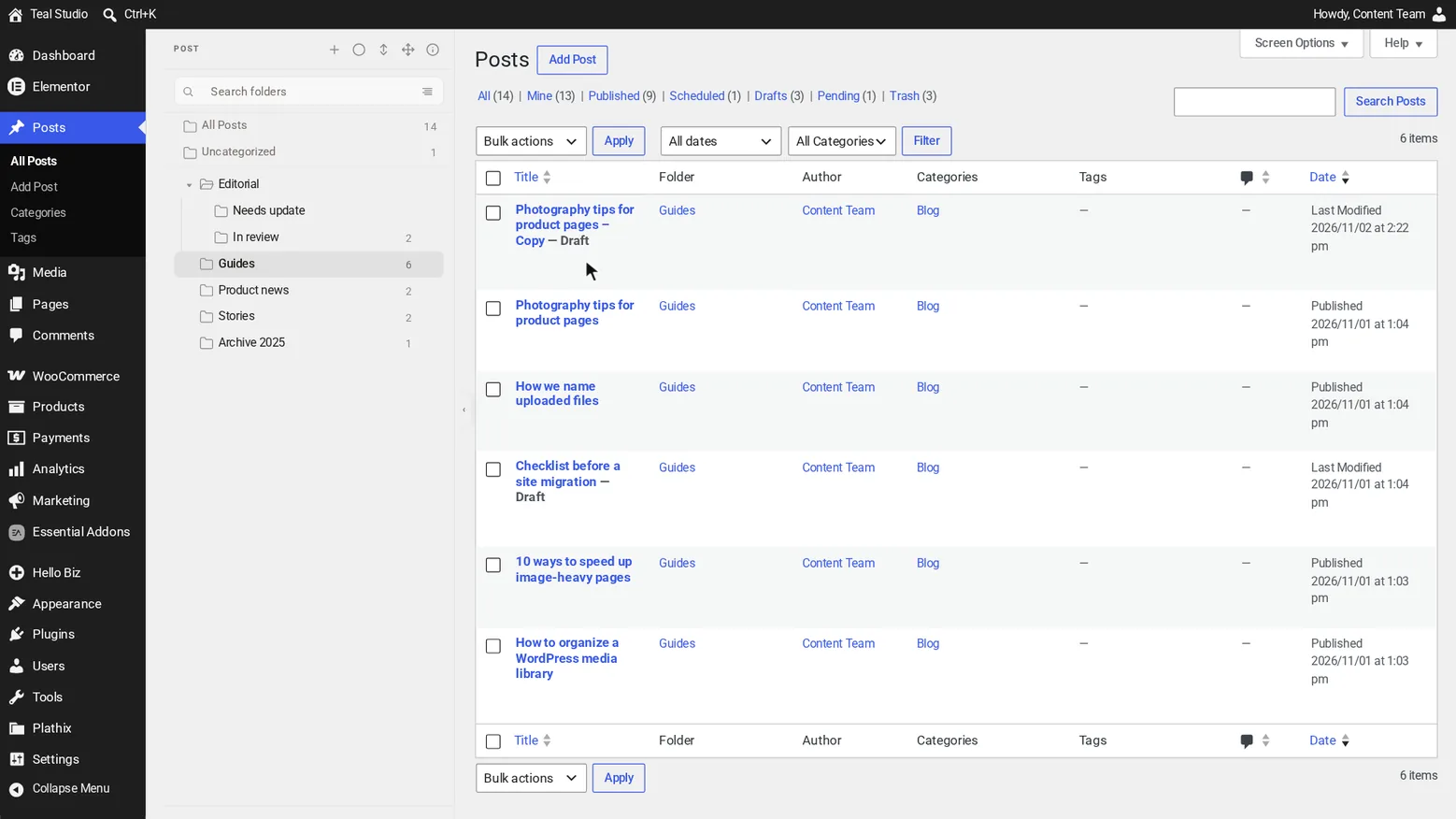
Recorded on 2 Nov 2026 on our test site: WordPress 7.1.4, Hello Biz, Elementor 4.3.5, Essential Addons 6.8.8, Plathix 1.0.0 Free and PRO. |
||
| Template with a widget | Save a template with an Essential Addons widget, put it in a folder and insert it into a page. | Passed |
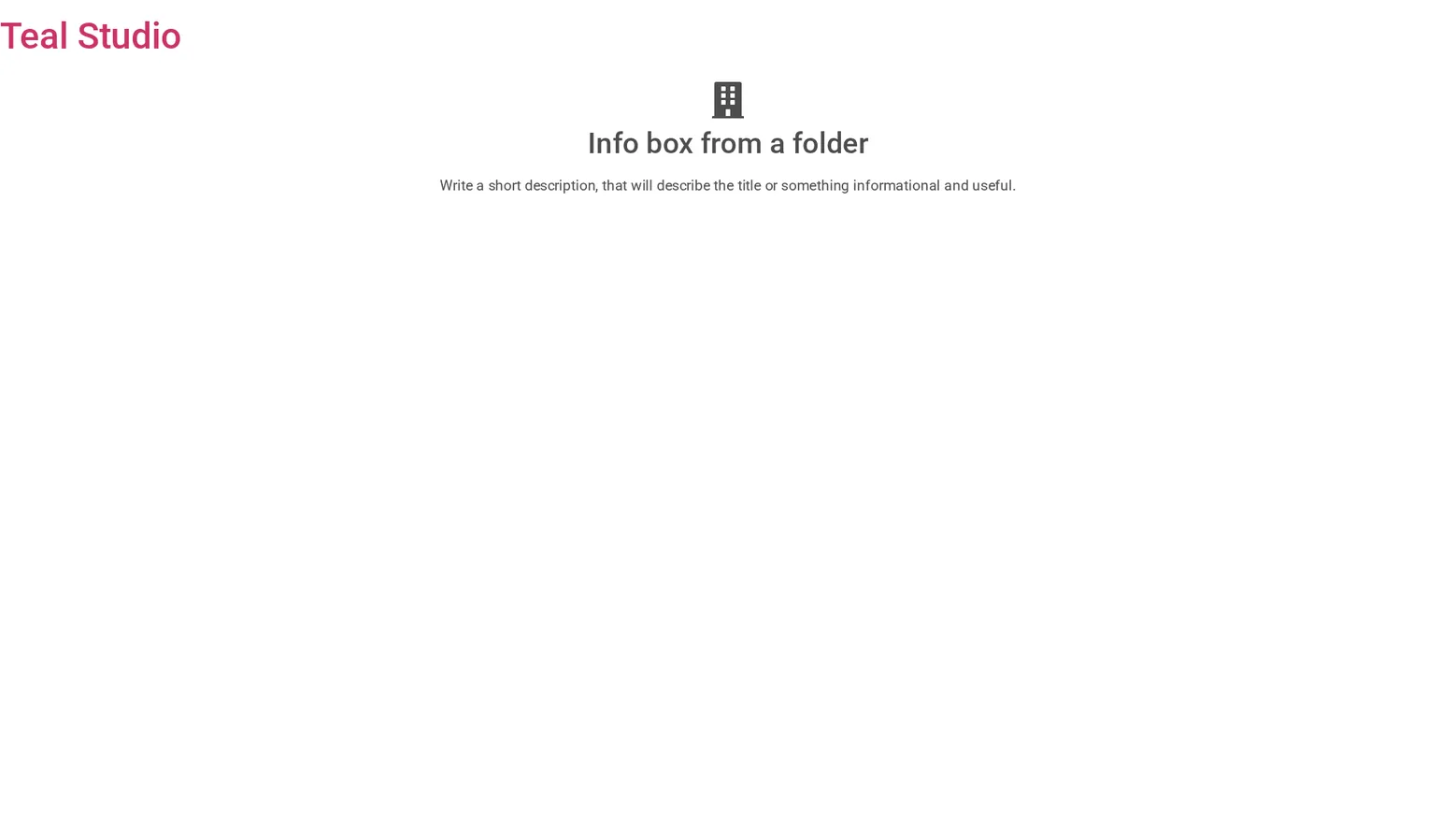
Show proofHow we checked. Filled a template with an Info Box, dragged it into Client A, inserted it from My Templates on a new page and opened the page with no login. What you see. The template stays in Client A, and the Info Box shows on the published page. 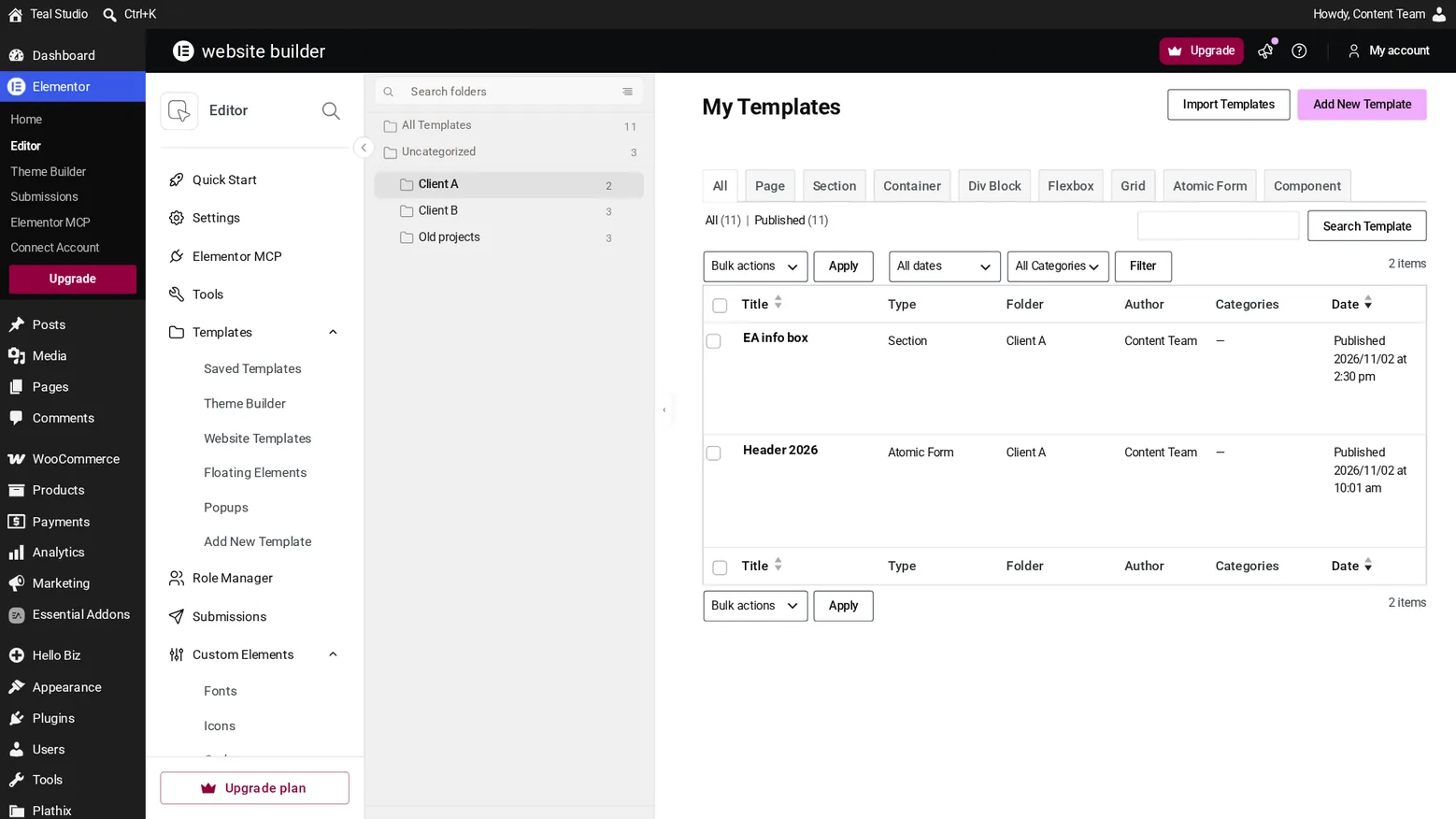
Recorded on 2 Nov 2026 on our test site: WordPress 7.1.4, Hello Biz, Elementor 4.3.5, Essential Addons 6.8.8, Plathix 1.0.0 Free and PRO. |
||
| Gallery in Advanced Tabs | Paste a PRO gallery shortcode into an Advanced Tabs tab. It shows when the tab opens. | Passed |
Show proofHow we checked. Added the shortcode to the second tab and opened the page with no login. We measured the gallery before and after clicking the tab. What you see. The gallery is hidden on the first tab. After the click it has its normal size, with all three images. 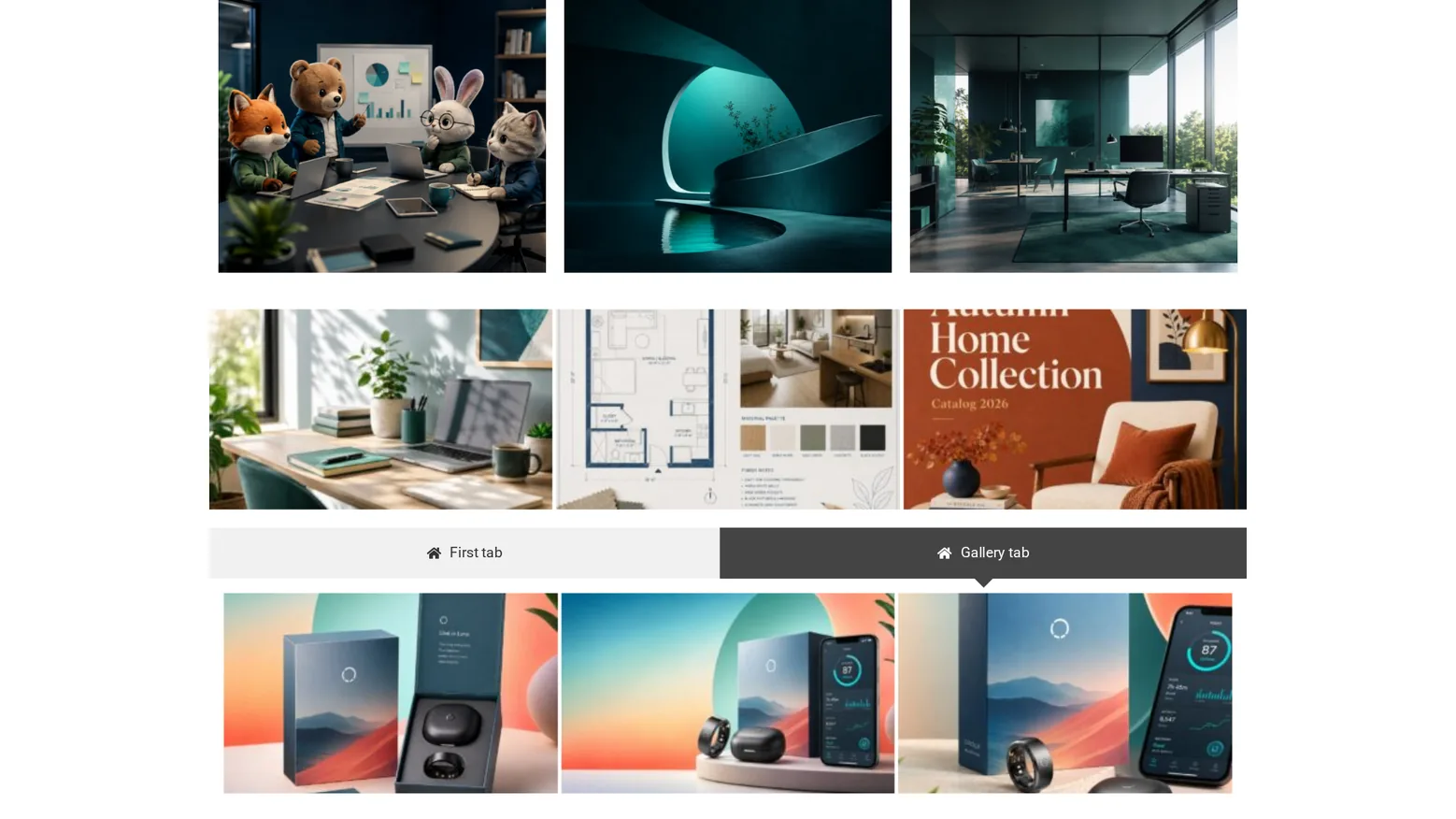
Recorded on 2 Nov 2026 on our test site: WordPress 7.1.4, Hello Biz, Elementor 4.3.5, Essential Addons 6.8.8, Plathix 1.0.0 Free and PRO. |
||
| PRO gallery lightbox | With a lightbox on, click a PRO gallery image on the published page. One lightbox opens. | Not passed · retest 2 Dec 2026 |
| Filterable Gallery next to it | A Filterable Gallery on the same page as a PRO gallery keeps working. Its lightbox opens alone. | Passed |
Show proofHow we checked. On the same page, clicked the Filterable Gallery lightbox button three times with no login. What you see. Only the Essential Addons lightbox, 3 times out of 3. 
Recorded on 2 Nov 2026 on our test site: WordPress 7.1.4, Hello Biz, Elementor 4.3.5, Essential Addons 6.8.8, Plathix 1.0.0 Free and PRO. |
||
| Post Grid | Posts sorted into folders show in a Post Grid as usual. | Passed |
Show proofHow we checked. Added a Post Grid with default settings and opened the page with no login. What you see. The four latest posts, as without folders. 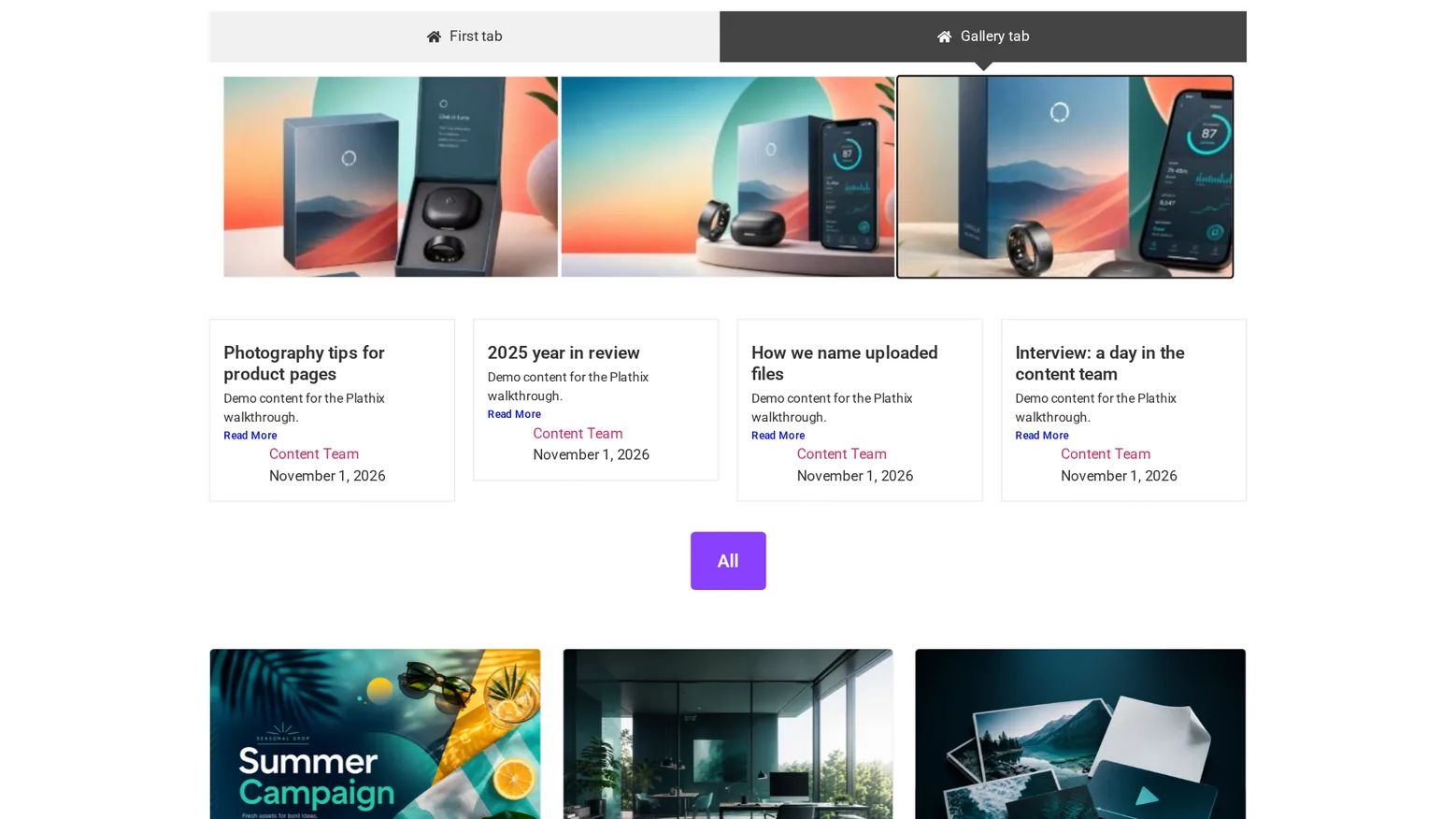
Recorded on 2 Nov 2026 on our test site: WordPress 7.1.4, Hello Biz, Elementor 4.3.5, Essential Addons 6.8.8, Plathix 1.0.0 Free and PRO. |
||
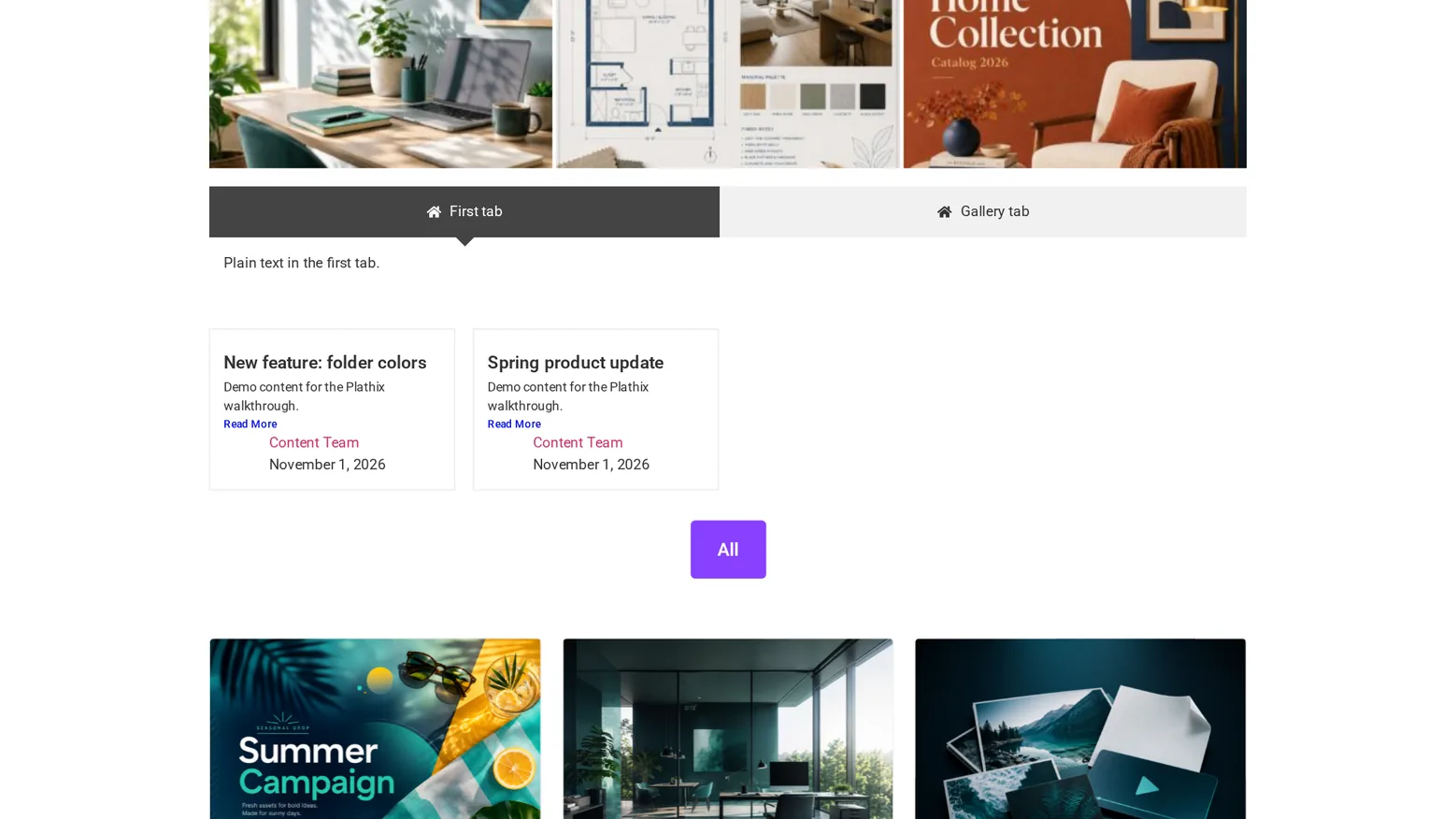
| Post Grid by folder | Post Grid gets a Folders field in its query settings. Choose a folder and the grid shows only its posts. | Passed |
Show proofHow we checked. In Query we typed Product, chose Product news and saved. We compared the published grid with the folder’s list in wp-admin, then cleared the field. What you see. Two posts, New feature: folder colors and Spring product update, the same two as in the folder. With the field cleared, the grid shows the four latest posts again. 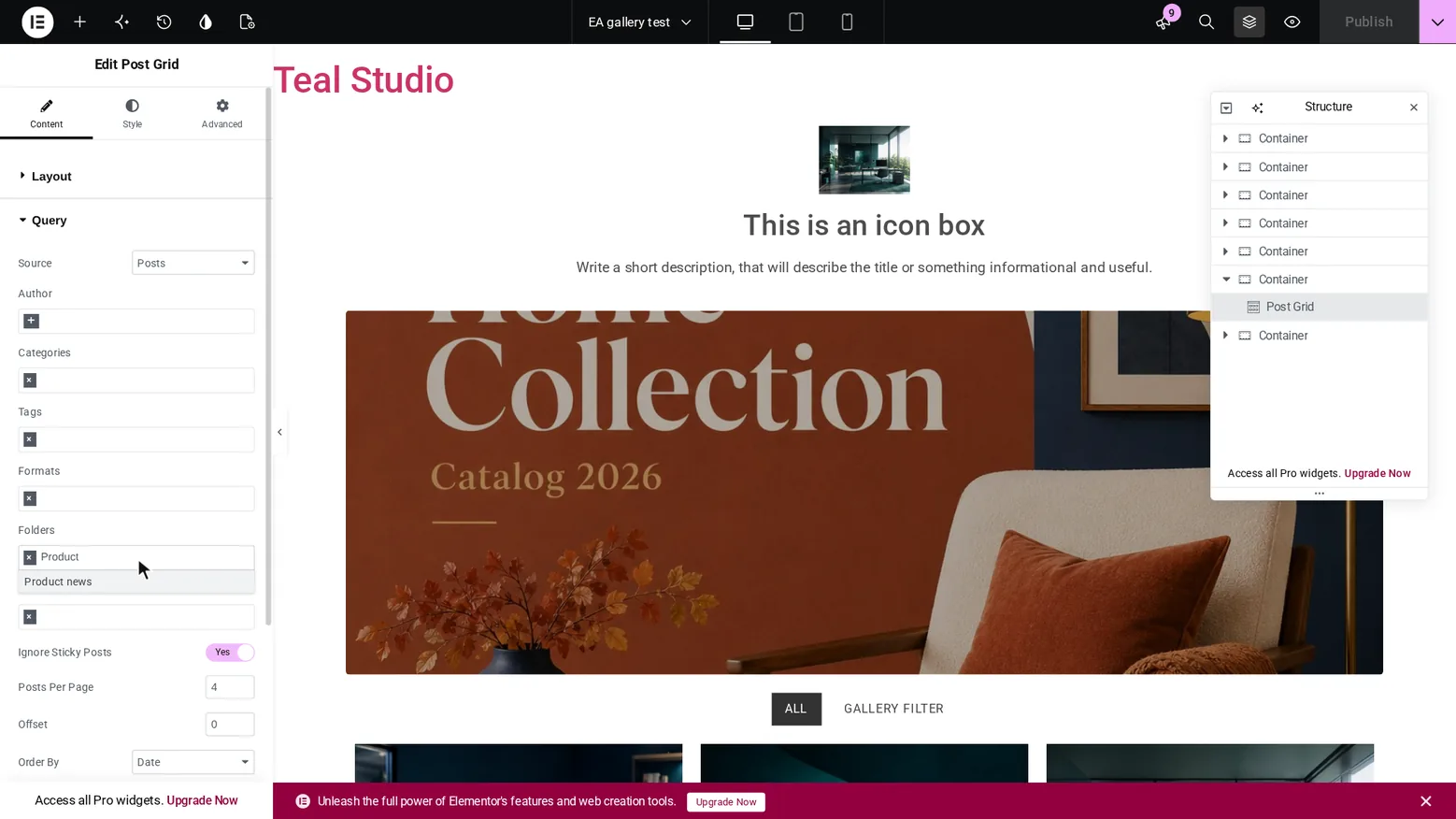
Recorded on 2 Nov 2026 on our test site: WordPress 7.1.4, Hello Biz, Elementor 4.3.5, Essential Addons 6.8.8, Plathix 1.0.0 Free and PRO. |
||
| Woo Product Gallery | Products sorted into folders show in a Woo Product Gallery as usual. | Passed |
Show proofHow we checked. Added the widget with default settings and opened the page with no login. All 8 products on the test site are in folders. What you see. Products with images and prices. 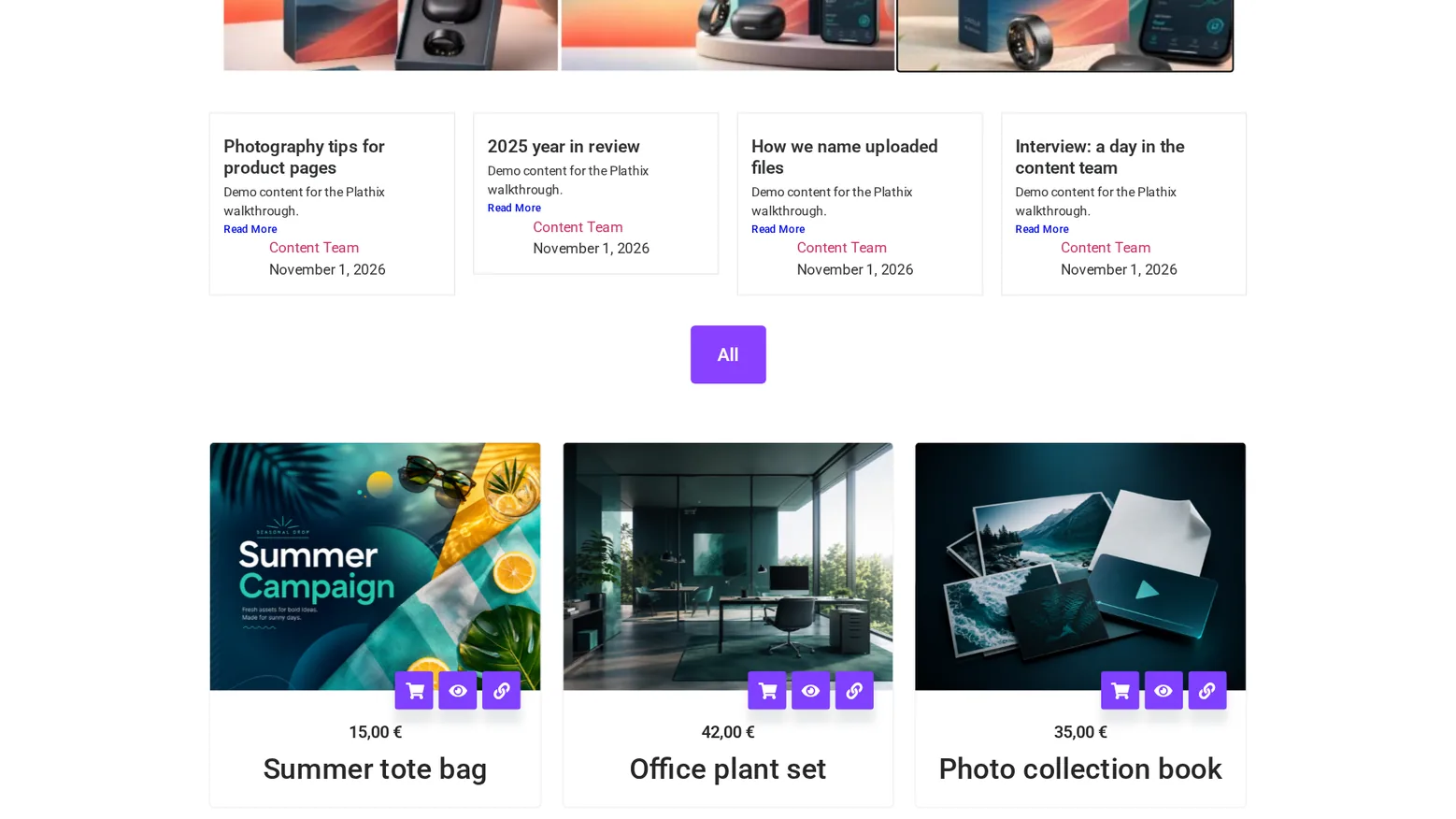
Recorded on 2 Nov 2026 on our test site: WordPress 7.1.4, Hello Biz, Elementor 4.3.5, Essential Addons 6.8.8, Plathix 1.0.0 Free and PRO. |
||
| Theme Builder | Tick Theme Builder in Enabled Sections and open its screen. The folder panel appears next to the list. | Not passed · retest 2 Dec 2026 |
Known limitations
- We tested the free version of Essential Addons only, not its paid version or Templately.
Test setup
- Install Elementor, Essential Addons and Plathix. There is nothing to configure.
- Add an Essential Addons widget with an image and click the image. Your folders are in the left column.
- With PRO: for a grid of one folder, add a Post Grid and choose the folder in Query → Folders.
Retest
The 4 checks that did not pass run again on 2 Dec 2026.